Datasource Classifier
Our platform is based on working with datasources, which are used for reaching various data driven purposes. In reality, there are numerous different types of datasources available, which can be classified differently depending on what they actually measure. For both the physical and aggregated datasources, there are available classifiers like power, gas, water, temperature, time, etc. A datasource classifier:
- Helps organise datasource into groups.
- Can have many datasources associated with it but a datasource can only belong to one datasource classifier
How to create datasource classifiers
When you need to create a new Datasource Classifier, see example below, you can easily do so by taking the following steps:
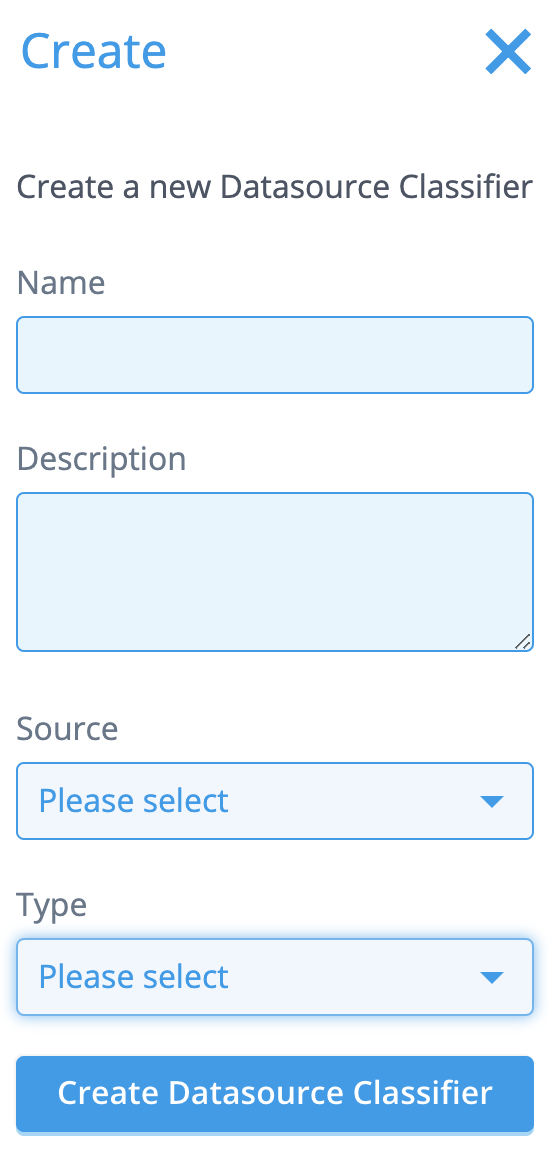
Go to [Smart Integration → Datasource Classifiers] and click the Create button on top of the screen.
Fill in the name and the description of the classifier.
Select a Source (physical or virtual). [Note: Physical reflects an individual meter, sensor or market profile. Virtual reflects an aggregated group of physical datasources.]
Select a Type (power, gas, water, temperature, time, etc.).
Click [Create Datasource Classifier] when you’re done.
How to edit datasource classifiers
In case you need to edit the description of an already existing Datasource Classifier, just take the following steps:
Go to [Smart Integration → Datasource Classifiers] and search for the Datasource Classifier you need to edit.
Click the [Details] button.
Click the [Edit] button at the bottom of the pane.
The Description field is now available to edit.
Click [Save] when you’re done.